Skip to content
0:00 / 0:00

#voiceover#magnifier#assistivetechnology

iPhone Magnifier and Voice over

Kristy Viers

2.4K subscribers • 1 video on Hallway

YouTube
  • Recommended by 3 people: 3 on Hacker News.
  • Presented by Kristy Viers

Beginner. No background in the topic needed.

2.7K views5 years ago3 recommendations

Mobile developmentSoftware designAccessibilityiOS and SwiftUI

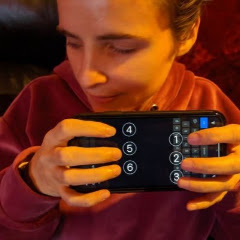
Kristy Viers demonstrates how the built-in iOS Magnifier and VoiceOver features describe surroundings and recognize objects for visually impaired users.

In this video I demonstrate a lesser known feature of the iOS Magnifier feature. It works really well with voice over to describe your surroundings. I know there are other apps that do the same thing, but this is built into iOS so all iPhone users should already have it.

Why it's here

3 people recommend this

What people say. Recommended by engineers as an eye-opening demonstration of mobile accessibility features in action.

macNchzon Hacker News • Recommends

On “A different kind of keyboard”

Thanks for the link, super interesting to watch. Over the years as a programmer I've picked up knowledge about web accessibility from a mechanical, standards/implementation focused point of view, but this video is helping me realize that my understanding has been lacking a level of depth and empathy for the real people using these tools. Looking through some of her other videos I found this demonstration of camera-to-speech in the iPhone pretty awesome–I had no idea that this was a feature: link to this video

mimischion Hacker News • Recommends

On “Apple Support: How to hear image descriptions in the Camera app”

The YouTube channel by Kristy Viers has been helpful in understanding how they use an iPhone and other devices. Here’s a video on VoiceOver in the Camera app: link to this video

aasasdon Hacker News • Recommends

On “What’s the strangest thing you ever found in a book?”

I'll one-up this a bit: a blind woman called Kristy Viers demonstrates on YouTube how she uses various things, among them iPhone with the onscreen six-finger Braille keyboard. But also she uses the ‘magnifier’ app to tell her what is there around her, i.e. what the camera sees: link to this video (The videos are filmed by her boyfriend, in case someone has to wonder.) I realize that the vid is not too informative to a blind person, other than a vague demo. IDK where to find more info on the setup, since I'm not a user of iPhones myself. Comments on YouTube say that the magnifier app is in the accessibility options, that it adds a home screen app when enabled, and that it works at least on iPhone 10 sin…

fullstopon Hacker News • Mentions

On “How I, as someone who is visually impaired, use my iPhone (2020)”

It describes the scene, tells you how many faces are visible, whether or not the image is focused, lighting conditions. link to this video They can also generate alt text for photos which do not have that information already. Here's a video of the person in the original article describing this feature: link

jodrellblankon Hacker News • Mentions

On “It’s not still the early days of blockchain”

This link to this video is a recent thing I found mind blowing; 2020 iPhone can do on-device image processing and object recognition and speak a description of what the camera sees. Just quietly a builtin feature. 2010 iPhone, I was mind-blown by the Word Lens app which could do OCR on text in the camera feed, translate the words into another language, and overlay the results on the image in near-realtime. link These are tasks I had never seen any computer do in any circumstances, things which would be unthinkable on a Java MIDP Blackberry from 2005, or a Pentium II desktop from 1997. Compare this to the wearable augmented reality devices Professor Steve Mann was building through the 80s and 90s1 a…